
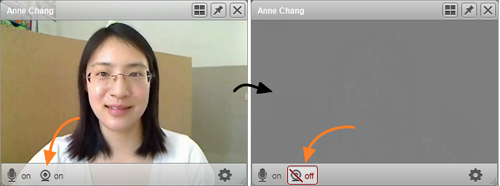
It’s easy to “mute” your VSee video for an audio-only conference. Open your self-view video window and click on the webcam icon on the bottom left of your the window. If you mute the window during a call, the “muted” video setting will be saved for the next time you make a call.
Some reasons you may not want to show your video:
- poor network connectivity – turning off your video reduces the bandwidth used in a call
- privacy – you need to grab something from the next room and don’t want any virtual snooping happening while you’re gone
- unforeseen issues – a giant bug is crawling over your webcam (btw, this really happened to me during a video call) or maybe you’re just having a really bad hair day.


